Figure Shop Simulator Free Prologue Walkthrough
Sample the print–stock–price loop in the free app before buying the full 1.0 catalog.
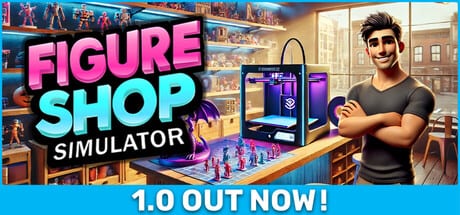
Figure Shop Simulator: Prologue is the free Steam companion (app 3858370) that lets you taste Gnome Games’ print-and-sell loop before purchasing the full game (app 3604560). It is limited content by design—not a cracked full build.
What the Prologue is for
- Confirm you enjoy manufacturing stock instead of only reselling
- Learn printer size rules, filament buys, shelf tags, and end-of-day saves
- Decide whether the fantasy beats Figurine Shop Simulator’s paint-and-order vibe (vs Figurine Shop Simulator)
What it will not teach completely
Expect truncated catalogs, fewer expansions, and incomplete late systems such as full online sales depth, full Epic lines, or the entire 24-achievement track. For those, buy the full game and read Getting Started plus 1.0 Release Guide.
First hour checklist in Prologue
- Follow tutorial prompts to buy a fitting starter printer.
- Stock PLA boxes before the first customer wave.
- Print small batches that fit the printer bed.
- Place trays, set readable prices, open the shop.
- End the day to practice the checkpoint habit.
If that hour feels like unpaid retail, skip the paid title. If it feels meditative, continue.
Upgrading to the full game
After purchase, do not assume Prologue habits cover worker settings, online toggles, or Mystic Maidens space needs. Re-read Worker Settings, Online Sales, and Warehouse Expansion.
Save continuity
Treat Prologue and full game as separate products. Do not expect every Prologue save to map 1:1 into late-game systems—start a serious full-game save when you are ready to commit.
Related
Worth Buying, Review Hub, Guides Hub.
Takeaway
Prologue answers one question cheaply: do you like printing the stock you sell? Everything else is what the paid 1.0 build is for.
Prologue versus full 1.0 feature map
Use this map so the free app does not set false expectations. Prologue teaches printers, filament, shelves, tags, and end-of-day saves. The full game adds staff ladders, Epic production, online sales toggles, worker thresholds, larger warehouses, and the full 24-achievement track including Master of Perfection. If a YouTube creator demonstrates Printer Engineer automation or Mystic Maidens displays, that footage is almost certainly the paid build (1.0 Release Guide, Mystic Maidens).
Decision rubric after one Prologue hour
Ask three questions. Did printing trays feel like the toy you wanted? Did shelf tagging and customer waves feel fair? Did you resent waiting on printers? Two yes answers and a tolerable wait usually mean buy. Two no answers mean stop. Ambivalence means play one more Prologue day focused only on completing a tiny set before spending money (Complete Collections).
Common Prologue mistakes
Players buy decor paints before a second filament box, ignore end-of-day saves, or assume every Steam Guide written for 1.0 applies inside the free app. Keep a sticky note: Prologue is a lab, not your forever save. When you purchase, start a disciplined full-game save and re-learn worker settings from scratch (Worker Settings).
Store page hygiene
Confirm you are opening app 3858370 for Prologue and 3604560 for the full game. Bundles that pair Figure Shop Simulator with other Gnome Games titles are marketing for the paid app—not upgrades inside Prologue. For buying advice and review score context, continue with Worth Buying and the comparison page against Figurine Shop Simulator.
Session close
End Prologue sessions the same way you will end full-game days: shelves intentional, filament noted, day closed cleanly. That single habit transfers. Everything else—you will re-tune after purchase.\n\n## Transfer habits worth keeping\n\nCarry three habits into the paid game: end-of-day saves, filament buffers before decor, and readable price tags. Drop one habit Prologue teaches badly if it conflicts with 1.0 worker settings—relearn thresholds on day one of the full save (Worker Settings).\n
Transfer habits worth keeping
Carry three habits into the paid game: end-of-day saves, filament buffers before decor, and readable price tags. Drop one habit Prologue teaches badly if it conflicts with 1.0 worker settings—relearn thresholds on day one of the full save (Worker Settings).
Frequently Asked Questions
Quick answers to the most common questions.
What is the Prologue Steam app ID?
3858370. The full Figure Shop Simulator app ID is 3604560.
Is Prologue the full game for free?
No. It is a limited free sample of the core loop.
Should I finish Prologue before buying?
Play at least one clean hour. If the loop clicks, buy; if not, you saved money.