Figure Shop Simulator Stock Worker Role Guide
Make restockers useful with auto refill, tray buffers, and sane shelf layouts.
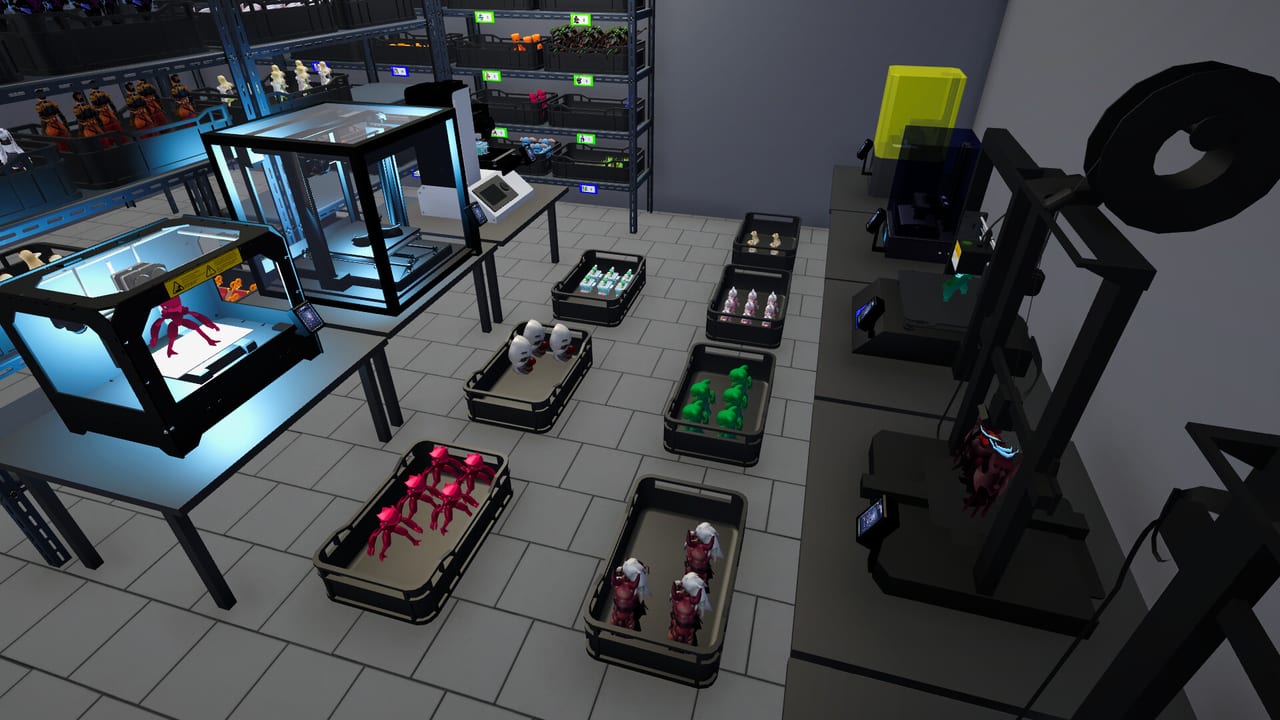
The stock worker is usually your first hire in Figure Shop Simulator and the difference between a fun production loop and a frantic ferry service. This page details how to set them up so they actually move goods.
What they do
- Pull finished figures from warehouse capacity
- Refill shop shelves that allow auto refill
- After updates, place newly produced figures onto displays more aggressively
Setup checklist
- Hire when popularity unlocks the role (Hire Employees).
- Enable auto refill on every selling shelf (Shelf Management).
- Keep warehouse trays of each active SKU.
- Avoid blocking paths with decor so AI can route.
- Expect more help when shelves are around half empty or lower.
Epic and premium notes
Stockers can shelve Epic and premium trays once those exist, but they cannot invent missing prints. Production still depends on printers and filament (Filament Guide).
Failure modes
- Auto refill off after a remodel
- Warehouse empty while shop looks busy
- Too few workers late game when the catalog is huge—reviews note four workers may struggle when everything is stocked
Related
Cashier, Automate Production, Online Sales.
Pathing and furniture
Workers need clear rectangles of floor. Corner shelves and neon props look great until they create dead ends. After each remodel, watch your stocker for thirty seconds. If they moonwalk into a display, nudge furniture.
Multi-stocker reality
Late catalogs overwhelm a single stocker. Reviews complain that even four workers lag when everything is in stock. Prioritize auto refill on the highest traffic aisles first if you must choose.
Sync with production
A stocker without printer output rearranges emptiness. Pair hires with Filament Guide discipline so trays exist to move.
Online amplification
Online orders increase pull rate from shelves. Stock workers become more valuable—not less—after Online Sales go live.
Training day
On hire day, intentionally let a popular shelf drop below half to confirm the worker engages. Then top filament and walk away.
Session takeaway for Figure Shop Simulator Stock Worker Guide
Watch pathing for thirty seconds after every furniture move.
When this page stops answering your current bottleneck, jump to the linked sibling articles in the same category rather than rereading the entire wiki. Figure Shop Simulator rewards focused fixes: filament, shelves, staffing, or pricing—one lever per day usually beats five half-finished remodel projects.
Pathing QA ritual
After remodel, watch the stocker for thirty seconds. Moonwalking into neon props means nudge furniture. Prioritize auto refill on high-traffic aisles if you cannot staff enough workers for a huge catalog—reviews note even four stockers lag when everything is listed.
Online sales amplify pull rates; stockers become more valuable after Online Sales go live, not less.
Training day experiment
Intentionally let a popular shelf drop below half after hiring to confirm engagement, then top filament and observe. If idle, check auto refill and warehouse trays before assuming a bug. Late catalogs may need multiple stockers—expand payroll only after paths are clean.
1.0 Worker Settings for stockers
Version 1.0 (10 August 2026) adds precise stocker controls in Worker Settings. Use Figure Shelf Refill Threshold to decide how empty a selling shelf must get before restock priority kicks in—raise it to keep aisles camera-ready, lower it when warehouse ferrying is the real bottleneck. Set Job Priority to shop shelves during walk-in rushes or warehouse trays when staging online orders and perfection weekends. Enable Restock All at End of Day so mornings open full, or disable it on mega-shops where day-end saves already crawl. Tune these three levers before hiring another stocker for a threshold problem you can solve in the menu.
Deep dive sidebar for Figure Shop Simulator Stock Worker Guide
Players searching for Figure Shop Simulator Stock Worker Guide usually arrive with a single pain point: empty shelves, slow Epic jobs, confusing staff, or uncertain prices. Answer that pain with one change, then measure popularity and cash across the next full day in Figure Shop Simulator. If both metrics improve, lock the habit. If not, read the sibling link that matches the new symptom instead of stacking five half-finished remodel projects.
For staff-stock-worker, write a three-line journal entry after the session: what you clicked, what resource stayed healthy, and what still broke. That journal becomes more valuable than rereading the entire wiki. Keep filament, warehouse trays, and auto refill as the universal foundation even when this page focuses elsewhere, because those three foundations silently support almost every advanced system from online orders to premium-only achievement pushes.
Finally, schedule a weekly review against Patch Notes so advice on Figure Shop Simulator Stock Worker Guide stays aligned with your live build. Early Access tips age quickly; 1.0 quality-of-life options can change how aggressively you chase automation. Unique closer for staff-stock-worker: lock today’s lesson into tomorrow’s opening checklist before buying more furniture.
Frequently Asked Questions
Quick answers to the most common questions.
When do stockers start helping?
Typically once shelves fall to about half capacity and auto refill is enabled.
Can they print?
No. Printing is printer workers or you—stockers move finished goods.