Figure Shop Simulator Premium Figures Guide
Produce and sell premium variants without emptying the affordable catalog too early.
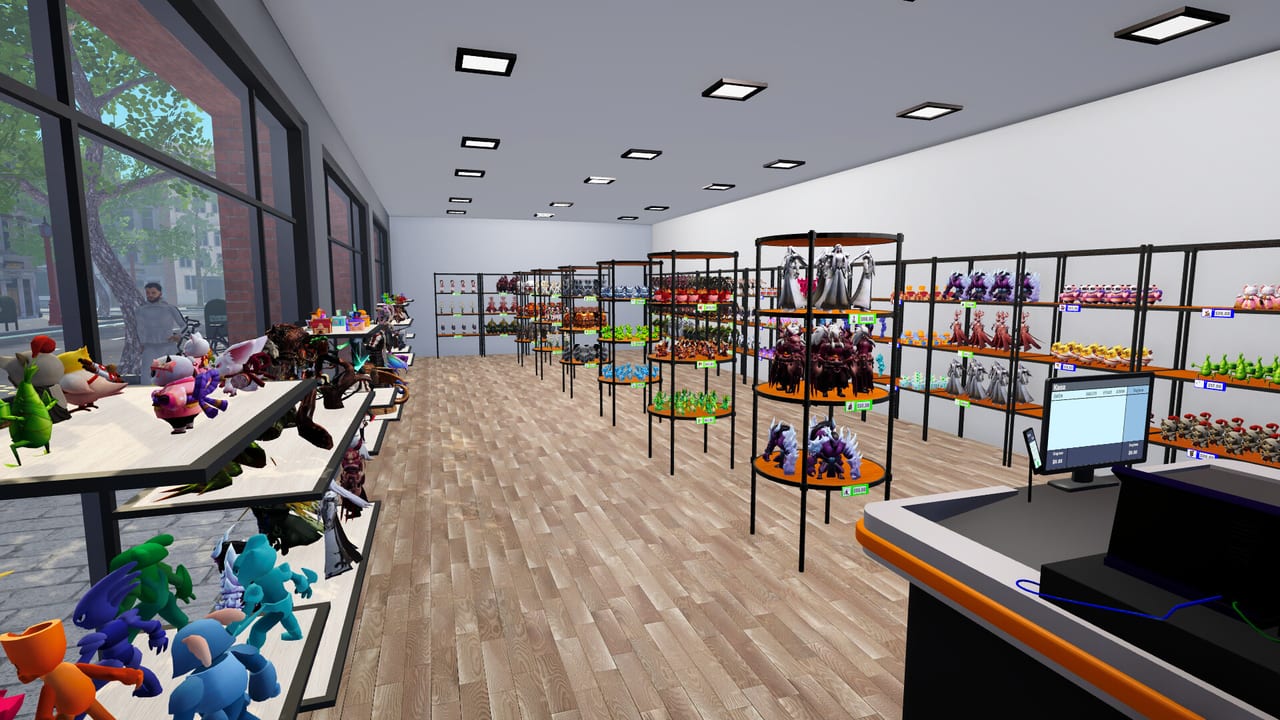
Premium figures are higher-grade versions of your catalog—often highlighted with distinct tags in play—and they sit at the center of completionist goals like selling a premium-heavy shop. This page explains when to print them and how they differ from Epic exclusives.
Premium vs Epic
- Premium: upgraded quality of existing models; tied to perfection-style achievements.
- Epic: separate large exclusive sets needing the Epic printer.
See Epic Printer for the exclusive lane and Figure Sets for catalog structure.
Production cost
Premium prints consume more time and filament attention. Convert the whole shop only after automation and warehouse buffers exist. Community achievement tips for Master of Perfection stress having trays of each premium placed on shelves—not merely unlocked in a menu.
Pricing
Use firmer markups than commons but watch comments. Guide: Pricing Strategy and Pricing Helper.
Shelf strategy
Replace commons gradually. Keep at least a temporary mixed catalog if popularity dips. Stockers and auto refill remain mandatory (Shelf Management).
Related
Complete Collections, Achievement Checklist.
Transition plans
Moving a shop to premium-only is a project, not a toggle. Stage it by set: finish premiums for one complete collection, shelve them, then retire commons from that aisle. Abrupt full-catalog swaps create empty holes and angry comments.
Filament and time tax
Premium queues steal capacity from trend reaction. Keep one standard printer free for emergency trend reprints even during perfection pushes.
Achievement alignment
Premium work primarily serves completionists. Casual profitable shops can ignore perfection forever. If you pursue it, schedule open-close printing windows and warehouse tray proofs described on the Achievement Checklist.
Pricing premiums
Premiums should not be priced like commons. Use higher bands on the Pricing Helper, then validate against satisfaction after two days.
Session takeaway for Figure Shop Simulator Premium Figures Guide
Convert one set to premium at a time instead of nuking the whole shop overnight.
When this page stops answering your current bottleneck, jump to the linked sibling articles in the same category rather than rereading the entire wiki. Figure Shop Simulator rewards focused fixes: filament, shelves, staffing, or pricing—one lever per day usually beats five half-finished remodel projects.
Gradual premiumization
Upgrade one completed set to premium shelves before touching the next. Abrupt full-catalog swaps create holes and angry comments. Keep one standard printer free for trend emergencies during perfection pushes.
Master of Perfection needs shelved trays, not menu unlocks—coordinate with Complete Collections and quiet open-close printing windows.
Premium economics
Premiums cost time and attention. Convert aisles only when automation reprints reliably. Price with higher bands, validate satisfaction after two days, and keep temporary mixed catalogs if popularity dips. Achievement pressure is optional—casual profitable shops can ignore perfection forever and still enjoy Figure Shop Simulator.
Deep dive sidebar for Figure Shop Simulator Premium Figures Guide
Players searching for Figure Shop Simulator Premium Figures Guide usually arrive with a single pain point: empty shelves, slow Epic jobs, confusing staff, or uncertain prices. Answer that pain with one change, then measure popularity and cash across the next full day in Figure Shop Simulator. If both metrics improve, lock the habit. If not, read the sibling link that matches the new symptom instead of stacking five half-finished remodel projects.
For printers-premium-figures, write a three-line journal entry after the session: what you clicked, what resource stayed healthy, and what still broke. That journal becomes more valuable than rereading the entire wiki. Keep filament, warehouse trays, and auto refill as the universal foundation even when this page focuses elsewhere, because those three foundations silently support almost every advanced system from online orders to premium-only achievement pushes.
Finally, schedule a weekly review against Patch Notes so advice on Figure Shop Simulator Premium Figures Guide stays aligned with your live build. Early Access tips age quickly; 1.0 quality-of-life options can change how aggressively you chase automation. Unique closer for printers-premium-figures: lock today’s lesson into tomorrow’s opening checklist before buying more furniture.
Frequently Asked Questions
Quick answers to the most common questions.
Are premium figures required to beat the game?
No. They matter most for completionists and specific Steam achievements.
Do premiums need Epic printers?
Not necessarily—Epic printers are for Epic sets. Premiums are quality variants within the broader catalog.
Why no achievement after all premiums?
Ensure trays are physically shelved; some players open then close the shop to print spares without customers.