Figure Shop Simulator Printers Hub
Filament, licenses, Epic hardware, and Premium variants—production systems in one place.
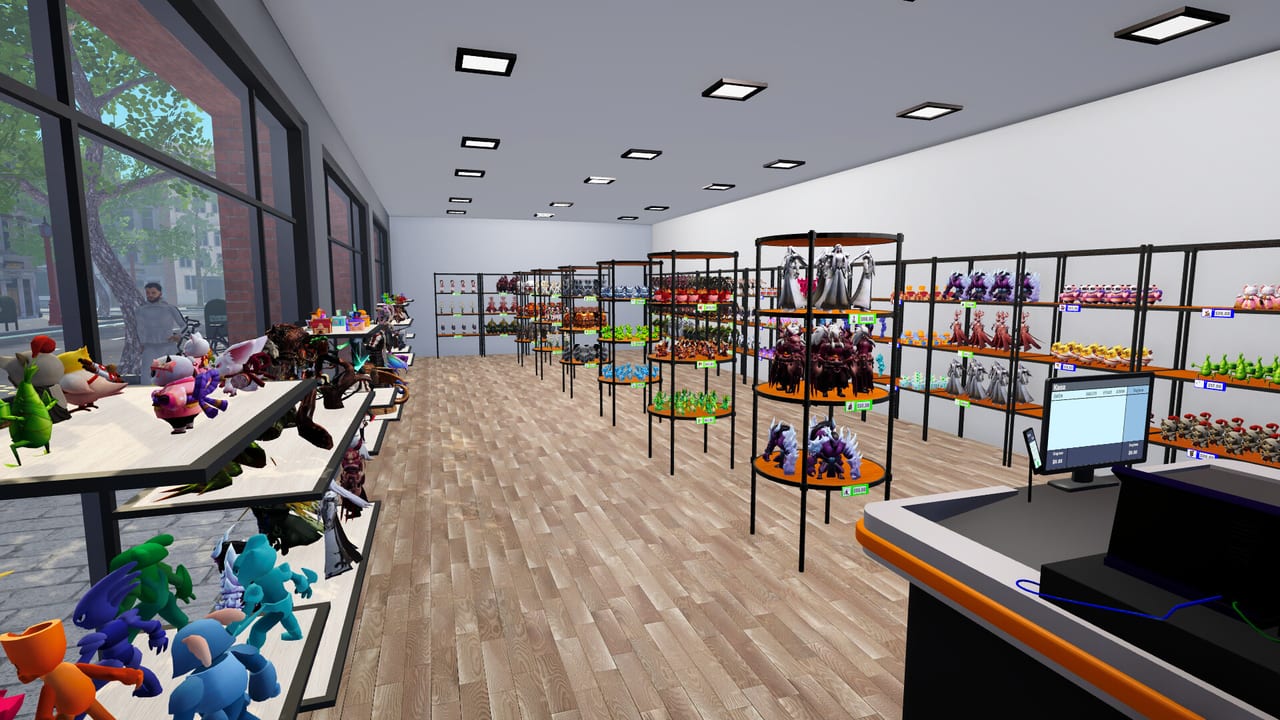
The Printers Hub covers everything that turns PLA boxes into sellable figures in Figure Shop Simulator. Your shop is not just retail space; it is a small factory. Printers, filament supply, licenses, and quality tiers decide how fast shelves refill and how exclusive your catalog feels. Use this hub when production—not customer traffic—is the bottleneck.
Core production loop
Every print run needs a licensed design, a capable printer, and filament. PLA boxes are the everyday consumable; running dry mid-queue stalls growth even if cashiers are idle. Quality tiers affect what customers expect to pay and how figures sit in collection goals. Keep warehouses stocked with trays so finished prints have somewhere to land before stock workers move them to shop shelves.
For day-to-day material planning, read Filament Guide. It explains how to budget PLA against active printers, when to expand warehouse capacity, and how filament shortages cascade into empty shelves and falling popularity.
Epic printers and Premium variants
Late-game production centers on the Epic Printer. Epic hardware unlocks Epic figures and higher-value runs that feed completionists and prestige pricing. Pair that page with Premium Figures to understand red-tag Premium variants—special SKUs that stand out on shelves and support stronger markups when demand is healthy.
Remember that Epic printers are not fully hands-off until staffing catches up. A Printer Engineer is the role that automates Epic printer workflows, while a Printer Worker keeps standard production moving. Automation strategy is also covered in Automate Production.
How printers connect to the rest of the shop
Printing without shelf discipline creates warehouse clutter. After a large batch, follow Shelf Management so stock workers can place newly produced figures efficiently, especially when auto refill is enabled. Pricing for Epic and Premium lines should follow Pricing Strategy and the Pricing Helper rather than copying standard PLA margins.
Collection hunters should cross-check printer output against Collection Sets and Epic Figures. Sets mentioned across patches—Christmas Pack, Plunder Crew, Mecha Core, and Mystic Maidens (Mystic, Lunelle, Nyrielle, Akirae, Velora, Kitsura)—often require deliberate print queues instead of random production.
Practical priorities
- Never let filament hit zero while printers are queued.
- Expand warehouse shelf space before mass-upgrading to Epic hardware.
- Unlock staff that match your printer count; idle Epic machines waste capital.
- Route Premium and Epic SKUs to visible shelf positions once trays arrive.
- Use Master of Perfection techniques carefully: open then immediately close the shop to print without customers, and keep trays available on warehouse or shop shelves.
Related reading
- Getting Started for first printers and licenses
- Hire Employees for production staffing timing
- Figures Hub for what those printers should be making
- Updates Hub for patch changes to printers and packs
This hub exists so production decisions stay coherent. If shelves are empty, check filament and staff before blaming foot traffic. If cash is tight despite full printers, audit pricing and Premium placement. If Epic machines sit idle, hire or reassign a Printer Engineer and confirm trays are free. Production, shelves, and people are one system—this page is the printer-facing entrance to that system.
Production KPI mindset
Track three numbers mentally: filament boxes in stock, printers actively queued, trays waiting in warehouse. If any KPI hits zero, production planning failed—not marketing.
Hub routes
Consumables: Filament Guide. Prestige hardware: Epic Printer. Quality variants: Premium Figures. Staffing: Staff Hub.
Connecting to review expectations
Players who buy because of the printing fantasy should live in this hub for the first dozen hours. If the fantasy does not click, reconsider via Worth Buying.
Session takeaway for Printers Hub
Track filament boxes, active queues, and warehouse trays as three live KPIs.
When this page stops answering your current bottleneck, jump to the linked sibling articles in the same category rather than rereading the entire wiki. Figure Shop Simulator rewards focused fixes: filament, shelves, staffing, or pricing—one lever per day usually beats five half-finished remodel projects.
Frequently Asked Questions
Quick answers to the most common questions.
What consumable do Figure Shop Simulator printers use?
Printers consume PLA filament boxes along with licensed designs; empty filament stops queues even if staff are hired.
When should I buy an Epic printer?
After standard production and shelf flow are stable, and when you can staff a Printer Engineer to automate Epic workflows.
What are Premium figures?
Premium variants use red tags and support higher-value merchandising; see the Premium Figures page for stocking tips.
Why are my printers finishing jobs but shelves stay empty?
Finished trays need warehouse or shop shelf space and stock workers; enable auto refill and free tray slots.